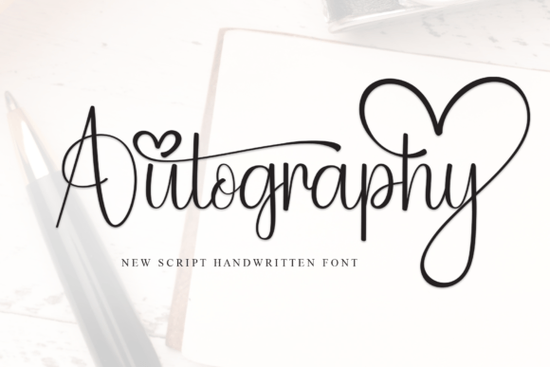
If you’ve been searching for a handwritten font that feels personal but still polished, Autography might be exactly what your next project needs. It’s delicate without being fragile, elegant without feeling stiff, and flows naturally like real handwriting with just the right amount of grace. Whether you’re designing wedding invites, branding a small shop, or creating printables for Etsy, this font adapts well without losing its character.
What makes Autography stand out is how balanced the letterforms are. You don’t have to fight with spacing or worry about certain letters looking awkward next to each other. That kind of consistency saves time especially when you’re juggling multiple client projects or trying to get a product listing live before the weekend rush.
Who is this font actually good for?
If you’re a crafter who sells vinyl decals or custom mugs, Autography gives your work that “hand-lettered” charm without needing actual hand-lettering skills. Print-on-demand sellers will find it works beautifully on t-shirts, tote bags, and greeting cards especially for quotes, affirmations, or feminine branding.
Small business owners can use it for social media graphics, packaging labels, or boutique-style logos. And if you’re just someone who loves making birthday cards or scrapbook layouts at home, this font adds warmth without overwhelming your layout.
It pairs especially well with clean sans-serifs or minimalist serif fonts. If you’re already using something like Ashley Southine for body text or headers, Autography can serve as your accent script softening the overall look while keeping things readable.
How does it compare to other handwritten fonts?
Not all script fonts are created equal. Some feel too rigid, others too messy. Autography sits in that sweet spot where it looks natural but remains legible even at smaller sizes. For example, if you’ve tried Beautiful Wildflower Duo, you know how playful and textured that one is great for rustic or boho themes. Autography is smoother, more refined, and better suited for modern, romantic, or luxury aesthetics.
Compare it to Overthinker, which leans into quirky imperfections and uneven strokes perfect for journaling or casual branding. Autography doesn’t try to look “messy cute.” Instead, it’s intentional, graceful, and consistent.
And if you’re someone who likes having options, check out the Mega Notebook Handwriting Bundle. It’s packed with variety, but Autography holds its own as a standalone favorite when you need something that feels both personal and professional.
Can I use it for commercial projects?
Yes and that’s one of the best parts. When you download Autography from Creative Fabrica, you get a commercial license. That means you can use it on products you sell, whether it’s digital downloads, physical merchandise, or client work. No extra fees, no confusing restrictions. Just make sure you’re not redistributing the font file itself which is standard across most foundries.
This makes it a smart pick for designers building templates, crafters launching side hustles, or small shops refreshing their brand identity. You’re not just buying a pretty typeface you’re investing in a tool that can grow with your business.
Any tips for getting the most out of this font?
- Use sparingly. Like any script font, Autography shines brightest when used for headlines, names, or short phrases. Long paragraphs can feel visually heavy.
- Adjust tracking slightly. Even though the kerning is well done, giving letters a tiny bit more breathing room (especially in all-caps) can enhance readability.
- Pair with simple backgrounds. Busy patterns or dark textures can compete with the fine lines of the font. Stick to light, clean backdrops for maximum impact.
- Try it in gold foil or embossed finishes. The elegance of Autography really pops in mockups that mimic luxury printing techniques.
If you enjoy fonts with similar energy, you might also like Monday another smooth, flowing script that’s easy to read and versatile across different mediums.
Where should you start after downloading?
Open your design software and test Autography with a few real phrases you’d actually use maybe your shop name, a popular quote you sell, or a sample product title. See how it feels at different sizes and against different background colors. Sometimes the best way to fall in love with a font is to put it to work right away.
Pro tip: Save a few go-to pairings in a swatch file like Autography + Montserrat, or Autography + Lora. That way, you’re not starting from scratch every time you open a new project.
Ready to give it a try? Grab Autography and start experimenting. Even if you don’t use it right away, having it in your toolkit means you’re ready the next time a client asks for “something handwritten but classy.”
Next step: Download the font, install it on your system, and create one quick mockup even if it’s just a 5-minute Instagram story graphic. The sooner you use it, the faster you’ll know how (and where) it fits into your creative workflow.
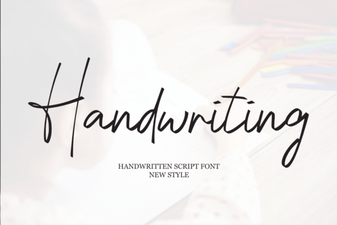 Designing with Handwriting Fonts: Style, Readability, & Inspiration
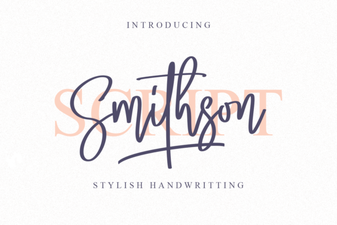 Smithson Font: Modern Typography Projects & Ideas
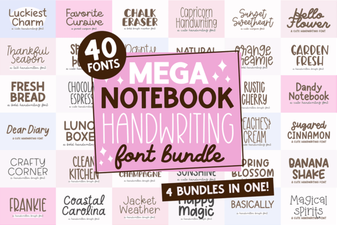 Mega Notebook Fonts: Handwriting for Creative Projects
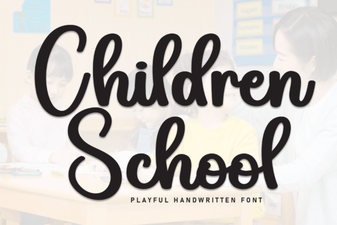 Creative Font Ideas for School Projects
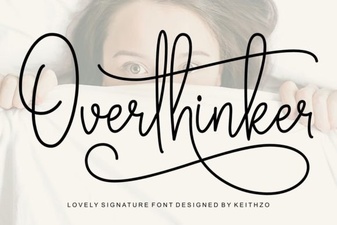 Free Overthinker Font for Creative Designs
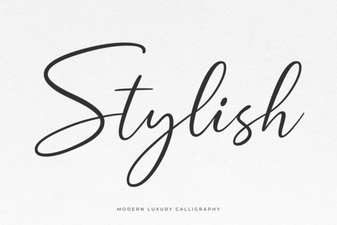 Creative Font Styles for Your Next Design Project