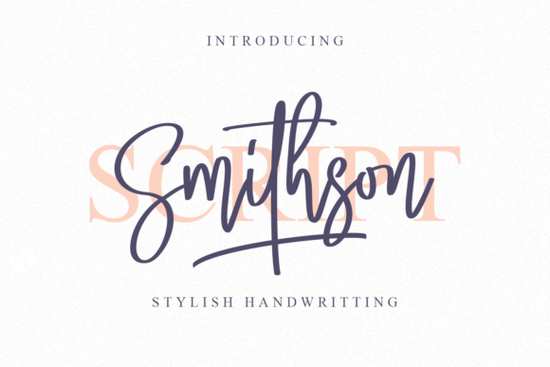
If you’re looking for a handwritten font that feels both elegant and modern, Smithson Font might be exactly what your next project needs. It’s got that refined calligraphic touch without feeling old-fashioned perfect for logos, quotes, packaging, or even wedding invites. Whether you’re running a small business, selling printables on Etsy, or just love crafting with fonts, Smithson gives you room to play while keeping things polished.
One thing users really appreciate is how easy it is to access all the extra characters. Because it’s PUA encoded, you don’t need special software or complicated steps to use the swashes and alternate glyphs. Just open your favorite design tool whether it’s Canva, Adobe Illustrator, or Silhouette Studio and start typing. The extras are right there in your character map or glyph panel.
What kinds of projects work best with Smithson?
This font shines when you want something personal but professional. Think:
- Custom greeting cards or stationery
- Branding elements like boutique logos or shop tags
- Wall art or quote prints for home decor
- Wedding invitations or event signage
- T-shirt designs or tote bags with hand-lettered vibes
It pairs especially well with clean sans-serifs for contrast try pairing it with something minimal like Monday for headings and Smithson for accents. Or if you’re going full script, layer it with Autography for a more dynamic layout.
Is Smithson good for beginners?
Absolutely. Even if you’ve never dug into OpenType features before, Smithson won’t leave you confused. Since everything’s PUA encoded, you’re not hunting through hidden menus or installing plugins. Most modern design apps will let you browse the full character set with a click or two.
If you’re new to script fonts, you might also like Sunshine it’s bubbly and friendly, great for casual projects. Or if you want something with more structure, check out Stylish, which leans more toward editorial and fashion uses.
How does it compare to other handwritten fonts?
Smithson doesn’t try too hard. Some script fonts go overboard with swirls or uneven baselines, making them tricky to read or scale. Smithson keeps its rhythm steady and its letterforms clear, so it works at small sizes (like product labels) and large ones (like banners or posters).
It’s also more versatile than fonts designed for very specific moods like Children School Font, which is playful and meant for kids’ projects. Smithson can do sweet and sentimental, but it can also handle sophistication. That flexibility makes it a smart pick if you’re building a toolkit of go-to fonts for different clients or seasons.
Any tips for getting the most out of this font?
Here’s what experienced designers do:
- Use swashes sparingly. A little goes a long way add one at the start or end of a word, not every letter.
- Adjust tracking slightly. If letters feel too tight, nudge the spacing up by 10–20 units for better readability.
- Try it in all caps. Surprisingly, Smithson holds up well in uppercase great for short headlines or monograms.
- Layer with textures. It looks gorgeous over watercolor washes, kraft paper, or linen backgrounds.
And don’t forget: if you’re using it for commercial purposes (like POD or client work), double-check the license. Creative Fabrica usually includes a commercial license with personal use, but always confirm based on your subscription or purchase type.
Where should I use it next?
Start simple. Try it on a mockup for a coffee shop menu, a Mother’s Day card, or even a custom Spotify playlist cover. See how it feels in context. Fonts like Smithson often reveal their magic once they’re paired with color, imagery, or real copy not just lorem ipsum.
If you already have a few favorites in your collection, consider where Smithson fills a gap. Maybe you’ve got bold display scripts but nothing subtle. Or maybe your current go-tos feel too stiff or too childish. Smithson sits right in that sweet spot warm, human, but still put-together.
Pro tip: Save a cheat sheet of your favorite glyph combinations. Once you find a swash + letter combo you love (like “L” with a tail or “y” with an extended loop), jot it down or screenshot it. You’ll reuse it again and again.
Next step: Open your design app, type out your project’s headline or tagline in Smithson, and toggle through the alternates. See which version feels most “you.” Sometimes the right glyph changes the whole tone and that’s where the fun begins.
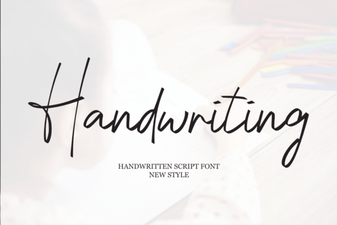 Designing with Handwriting Fonts: Style, Readability, & Inspiration
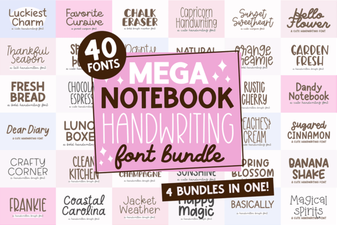 Mega Notebook Fonts: Handwriting for Creative Projects
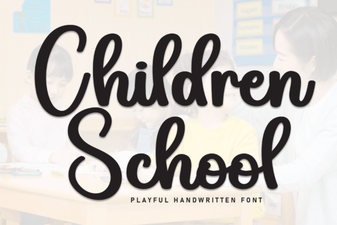 Creative Font Ideas for School Projects
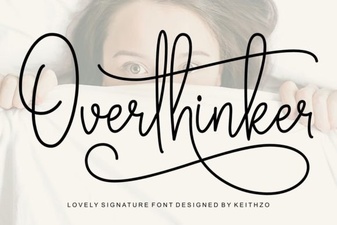 Free Overthinker Font for Creative Designs
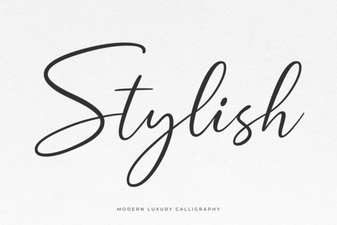 Creative Font Styles for Your Next Design Project
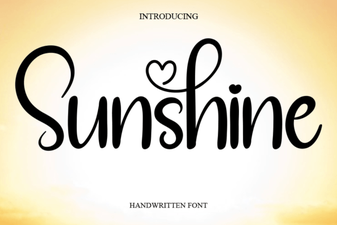 Sunshine Font: Bright Designs & Creative Projects