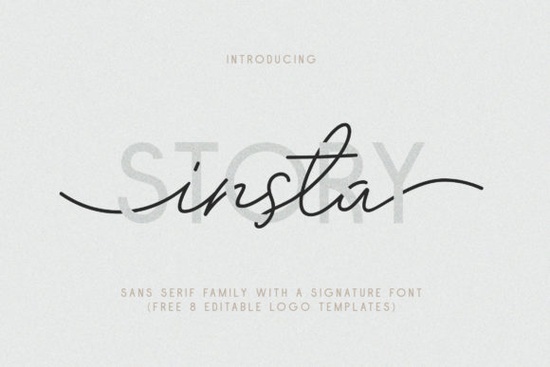
If you’re looking for a font that feels both modern and handmade, the Insta Story Duo Font might be exactly what your next project needs. Whether you’re designing logos, social media graphics, greeting cards, or even watermarks, this duo gives you flexibility without sacrificing personality. It’s especially handy if you want something that looks custom but doesn’t require hours of hand-lettering.
The set includes 10 clean sans serif styles thin to bold, with italics and outline versions plus a matching signature font that mimics natural hand scratches. That combination lets you pair structured typography with casual flair, which works great for branding projects that need to feel approachable yet professional. You also get 8 editable logo templates in Ai, EPS, and PSD formats, so you can jump right into customization without starting from scratch.
Who is this font best suited for?
This isn’t just another decorative typeface. It’s built for real-world use:
- Small business owners who want to DIY their brand assets think Instagram posts, packaging labels, or shop signage.
- Print-on-demand sellers creating designs for mugs, shirts, or tote bags that need readable yet stylish text.
- Crafters and hobbyists making birthday cards, scrapbook layouts, or digital invitations with a personal touch.
- Designers on tight deadlines who still want layered, textured typography without extra plugins or brushes.
Because it supports multilingual characters including accented letters like À, Ñ, Ü, and Þ you can confidently use it for global audiences or bilingual projects. The fonts are PUA-encoded too, meaning special glyphs and alternates are accessible even in basic software like Canva or Word.
How does it compare to other sans serif duos?
What sets Insta Story apart is how intentionally the two font families work together. Most duos just pair a script with a basic sans, but here, the “signature” style was designed to look like spontaneous ink strokes not overly polished calligraphy. That makes it feel more authentic when layered over photos or paired with minimalist layouts.
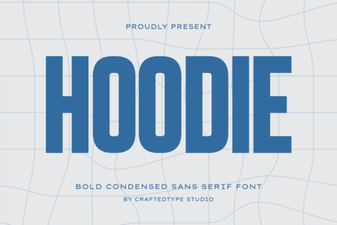
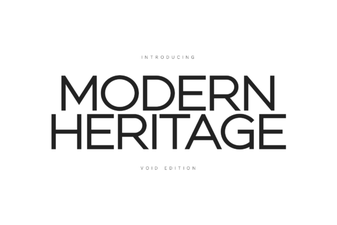
If you’ve used Modern Heritage, you’ll notice Insta Story has a younger, more playful energy. And while Hoodie leans into streetwear aesthetics, this one adapts better to feminine brands, boutique shops, or lifestyle content. For those who liked Insta Story Duo Font’s structure but wanted more weight options, the outline variants add depth without clutter.
What’s actually included in the download?
You’ll receive all these files ready to install or drag into design apps:
- Insta Story Thin (TTF/OTF + Italic)
- Insta Story Regular (TTF/OTF + Italic)
- Insta Story Bold (TTF/OTF + Italic)
- Insta Story Outline (TTF/OTF + Italic)
- Insta Story Outline Bold (TTF/OTF + Italic)
- Insta Story Signature (Titling & Swash styles)
- 8 editable logo templates (Ai, EPS, PSD)
The logo templates are surprisingly versatile some are circular badges, others horizontal lockups and they’re fully layered. Change colors, swap text, or resize elements without losing quality. Great for mockups or client pitches.
Any tips for getting the most out of this font?
A few practical suggestions based on how others have used it:
- Use the signature font sparingly. A single word or initial in the scratchy style adds character without overwhelming the layout.
- Try pairing Thin with Bold for contrast in headlines or posters the weights were designed to complement each other visually.
- Outline versions work well as overlays on product photos or textured backgrounds where solid fills would disappear.
- Export your final designs as PNG or SVG if sharing digitally some platforms don’t render OpenType features correctly.
And if you’re curious about licensing, you can check out the official listing for Insta Story Duo Font to confirm commercial use terms always good practice before launching client work or POD products.
Quick checklist before you start:
- Install both TTF and OTF versions to test compatibility with your software.
- Open one of the PSD templates to see how layers are organized saves time later.
- Bookmark the glyph panel in your design app to access swashes and alternates easily.
- Save a backup of the original ZIP updates happen, and you’ll want the clean files later.
This font won’t solve every design problem, but it’s reliable, flexible, and full of little details that make finished pieces feel intentional. If your work sits at the intersection of clean and casual, give it a try.
 Creative Hoodie Fonts for Your Brand Identity
 Craft Your Project with Modern Heritage Typefaces
 Font Preppycrush: Design & Download Guide
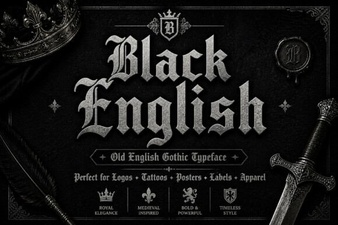 Creative Black Fonts for Modern Web Design
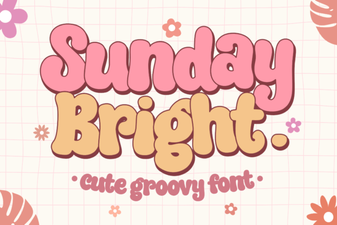 Sunday Bright: the Modern Script Font for Creative Projects
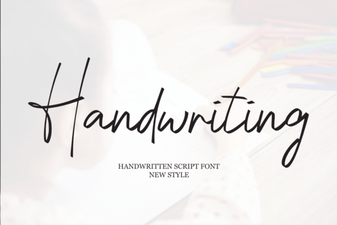 Designing with Handwriting Fonts: Style, Readability, & Inspiration