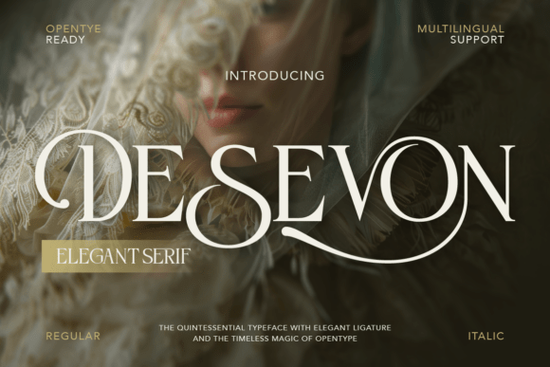
If you’ve been searching for a serif font that feels both classic and fresh, Desevon Font might be exactly what your next project needs. It’s not flashy or overdesigned just quietly refined, with graceful curves and subtle contrast that give your text a polished, intentional look. Whether you’re designing wedding invites, branding a boutique product, or laying out editorial content, Desevon adds a layer of sophistication without overwhelming the message.
What makes Desevon different from other serifs?
Many serif fonts lean heavily into tradition and that’s fine. But Desevon finds a sweet spot between heritage and modernity. The letterforms are clean but not sterile, elegant but not fussy. You’ll notice delicate swashes on certain characters and thoughtful ligatures that make common letter pairs (like “ct” or “st”) flow together more naturally. These aren’t gimmicks they’re subtle enhancements that help your typography feel handcrafted.
It also includes stylistic alternates, so you can swap out standard letters for more decorative versions when you want to add a little flair. That’s especially useful if you’re working on something like a monogram, logo, or headline where personality matters. And because it supports multiple languages, you won’t run into issues if your audience reads in French, Spanish, German, or other Latin-based scripts.
Where does this font work best?
- Luxury branding Think skincare lines, boutique hotels, or artisanal food packaging. Desevon’s quiet confidence fits beautifully in high-end contexts.
- Wedding stationery Invitations, programs, menus anything that benefits from a touch of romance and refinement.
- Fashion and beauty layouts Magazine spreads, social media graphics, or product labels where elegance is part of the brand voice.
- Pinterest and Instagram posts Quotes, announcements, or promotional graphics that need to stand out with class, not clutter.
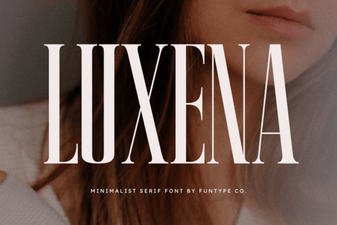
If you liked how Luxena handled editorial elegance, you’ll probably appreciate how Desevon brings a similar energy but with its own rhythm and character. It’s less rigid, slightly more fluid, which gives it wider versatility across print and digital formats.
What’s included in the download?
You get two main styles: Regular and Italic. Both come in OTF and TTF formats, so you’re covered whether you’re using Adobe apps, Canva, Affinity, or even mobile design tools. The character set includes uppercase and lowercase letters, numerals, punctuation, and those lovely alternates and ligatures mentioned earlier. There’s also a full character map PDF to help you navigate all the special glyphs super handy if you’re new to using OpenType features.
One thing worth noting: while Desevon looks great at large sizes (think headlines or logos), it remains surprisingly legible even in smaller body text as long as you’re not cramming it into tiny spaces. Just avoid ultra-thin weights or low-contrast backgrounds, and you’ll be fine.
How do I use the alternates and swashes?
If you’re using software like Illustrator, InDesign, or Photoshop, open the Glyphs panel (Window > Glyphs) and browse through the available alternates. Look for letters with small flourishes or slightly different shapes these are your stylistic options. In Canva or simpler editors, you might need to manually insert these from the character map, since automatic OpenType support isn’t always available.
A quick tip: don’t overdo it. One or two swash letters per word is usually enough. Too many, and the effect becomes distracting rather than delightful.
Who is this font really for?
Desevon isn’t trying to be everything to everyone and that’s a good thing. It’s ideal for:
- Small business owners who want their branding to feel intentional and upscale.
- Print-on-demand sellers creating products like journals, mugs, or wall art with inspirational quotes.
- Hobbyist designers making personal projects baby announcements, anniversary cards, holiday gifts.
- Freelancers building client presentations or mockups that need a touch of polish.
It’s not the right pick if you’re going for bold, grungy, or ultra-modern minimalism. But if your goal is warmth, grace, and quiet authority? Then yes this one’s worth downloading.
Before you start designing, here’s a quick checklist:
- Install both Regular and Italic having both gives you flexibility for hierarchy and emphasis.
- Check your software’s glyph support some apps hide advanced features unless you dig into settings.
- Test readability at small sizes especially if you’re using it for packaging or captions.
- Pair it with a simple sans-serif try pairing Desevon with something clean like Montserrat or Lato for contrast that doesn’t clash.
And if you’re still exploring options, take a peek at how Desevon compares visually with other serifs in your toolkit. Sometimes seeing them side by side helps you decide what fits your current mood or client brief best.
 Luxena Font: Modern Design for Creative Projects
 Font Preppycrush: Design & Download Guide
 Creative Black Fonts for Modern Web Design
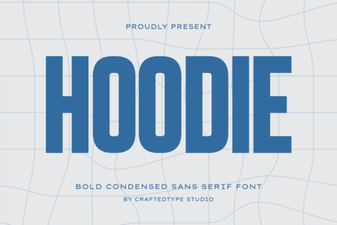 Creative Hoodie Fonts for Your Brand Identity
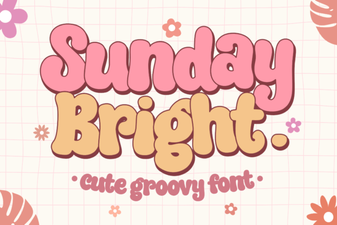 Sunday Bright: the Modern Script Font for Creative Projects
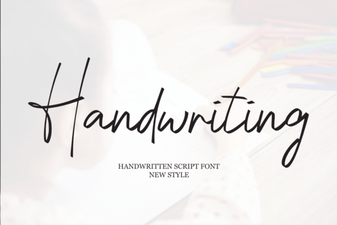 Designing with Handwriting Fonts: Style, Readability, & Inspiration